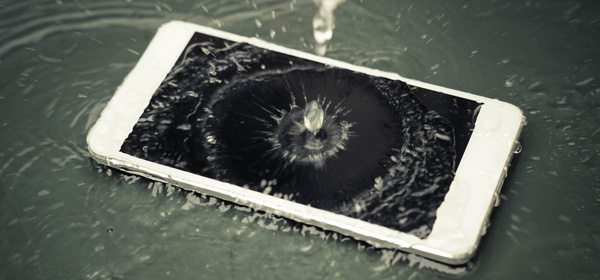
It can be as exotic as a wave lapping gently over your mobile phone, or as embarrassing as spilling coffee all over your laptop, but no matter how it happens, getting your technology wet can be disastrous.
So what can you do to save your phone or laptop’s life?
Just follow these simple steps.
Step 1: Don’t panic
I know it’s hard, but you’ll need a clear head and a steady hand to perform this tech first-aid.
Step 2: Go fishing
If you’ve dropped your phone into the sink or toilet and it’s still sitting in water take it out. Time is of the essence here – the faster you get it out the less likely the water is to get in.
Step 3: Power down
Most water damage happens in the form of short-circuiting. You want to pull the charger out of your device and remove the battery as quickly as possible. Be careful to avoid touching any metal on your device until you have removed the power source.
Step 4: Remove the peripherals
Take all the extras off. If it’s a laptop unplug any USB drives, and if it’s a mobile phone remove the sim card and as much of the casing as possible.
Step 5: Time to dry
This step depends on what the liquid is. If it’s just water you will need to wipe down everything you can reach with a lint-free cloth or cotton buds. If it’s a laptop, tip it upside down to let the water run out of the keyboard. If the keys are easy to remove then do so, and pat it dry. Coffee, soft-drink and alcohol pose more of a problem. They can be corrosive, and if the spill is in a keyboard these liquids can cause the keys to stick. In this case you will need to wipe everything down with alcohol swabs – the alcohol will evaporate on its own. Again, if the keys on your keyboard are easy to remove you’ll need to clean underneath them to stop them sticking when you type.
Step 6: Rice and warm
At this point you may feel tempted to put the battery back in and check if it’s working. Don’t. You either need to put all the pieces of your device somewhere warm, such as a drying cupboard, or completely cover them in a bowl of dry uncooked rice. Leave them there for 24 hours, no less. Never place your device on the heater or use a hairdryer on it – the heat is bad for it, and hairdryers can force the water further in.
Step 7: Reassemble
Put everything back together. If you think you’ll forget what goes where, photograph your device as you disassemble it. Next try turning the power on – if it works you have successfully completed tech first-aid.
Step 8: Last hope
If it doesn’t turn on, you have one final option. Try placing the battery (and only the battery) in the freezer (make sure you put it in a plastic bag). This will reset the battery, and hopefully your device will turn on.
Step 9: Worst fears realised
You’ve tried everything and it’s still not working. This is the time to admit defeat and head for the repair centre.
Step 10: Prevention is paramount
The easiest way to save your technology is to stop it getting wet in the first place. Don’t keep drinks beside the computer, keep your phone in a ziplock bag at the beach (this helps with sand, too) and never go to the toilet with your phone in your back pocket. Trust me, it happens.
Remember, this is a general guide and may not work in every instance, but taking action quickly may save you a hefty repair bill.
Related articles:
Six iPhone 6 fixes
How to fix your own computer
I’ve been hacked: now what?